

Originally published in Python in Plain English.
This article will discuss how to use the new machine learning model Champ—Controllable and Consistent Human Image Animation with 3D Parametric Guidance [1]. You can input a still image of a person, and the model makes the image come alive by converting it to a video with movements. This article will further discuss how to use the model locally and its strengths and weaknesses.
Motivation
I am motivated to write this article because I am constantly updating my knowledge of the newest models within machine learning. I therefore started a series where I discuss newly released machine learning models. I have already written an article on Amazon’s Chronos time series forecasting model and how to generate videos with the Open-Sora-Plan model. Additionally, I have written an article on using the DocOwl vision-text model for document QA, linked below. I found the code for this model by looking on PapersWithCode, one of my favorite websites for finding the newest and best machine learning models. This model appealed to me because it is awesome that you can convert a video with movements from only a still image. Successfully making a still image come alive like this can be of tremendous value, for example, when creating content with film and animations in the movie industry. For instance, it can also be useful in the medical sector to convert a series of images into a video showing changes over time.
Implementing the model locally
This section will show you how to implement and run the model locally. The official GitHub page of the Champ project also describes how to implement the model, but I will also give a minimalist approach to running the model locally. The authors state that you need 20GB VRAM to run the model on default configurations. However, you could change the parameters in the yaml file called v1-inference.yaml, in order to make model inference require less VRAM.
First, clone the GitHub repository with:
https://github.com/fudan-generative-vision/champ.gitI then recommend starting a virtual environment called venv with:
python -m venv venvAnd activating it with:
# windows
venv/scripts/activate
# linux / mac
source venv/bin/activate
You then need to enter the cloned GitHub repository and download all required packages with the following:
pip install -r requirements.txtDownloading models
First off, you need to download the models; you need to download many models. In the end, you need a folder with the following structure:
./pretrained_models/
|-- champ
|   |-- denoising_unet.pth
|   |-- guidance_encoder_depth.pth
|   |-- guidance_encoder_dwpose.pth
|   |-- guidance_encoder_normal.pth
|   |-- guidance_encoder_semantic_map.pth
|   |-- reference_unet.pth
|   `-- motion_module.pth
|-- image_encoder
|   |-- config.json
|   `-- pytorch_model.bin
|-- sd-vae-ft-mse
|   |-- config.json
|   |-- diffusion_pytorch_model.bin
|   `-- diffusion_pytorch_model.safetensors
`-- stable-diffusion-v1-5
    |-- feature_extractor
    |   `-- preprocessor_config.json
    |-- model_index.json
    |-- unet
    |   |-- config.json
    |   `-- diffusion_pytorch_model.bin
    `-- v1-inference.yaml
You can download all the required models from one folder by running the following commands:
First, install Git Large File System:
git lfs installThen clone the repository from HuggingFace containing all the required files:
git clone https://huggingface.co/fudan-generative-ai/champYou can see more details on the download process from the GitHub ReadMe.
Running the code
You can run inference on the code by running the command:
python inference.py --config configs/inference/inference.yamlTesting the model
I will test the model by running it on some images of people from Unsplash. I will then review the different videos created by the model. Note that Medium only allows viewing GIFs and not MP4 files, so I will be converting the files from MP4 format to GIF, which could reduce the resolution of the video.
First, I will try the model on this image of an astronaut:
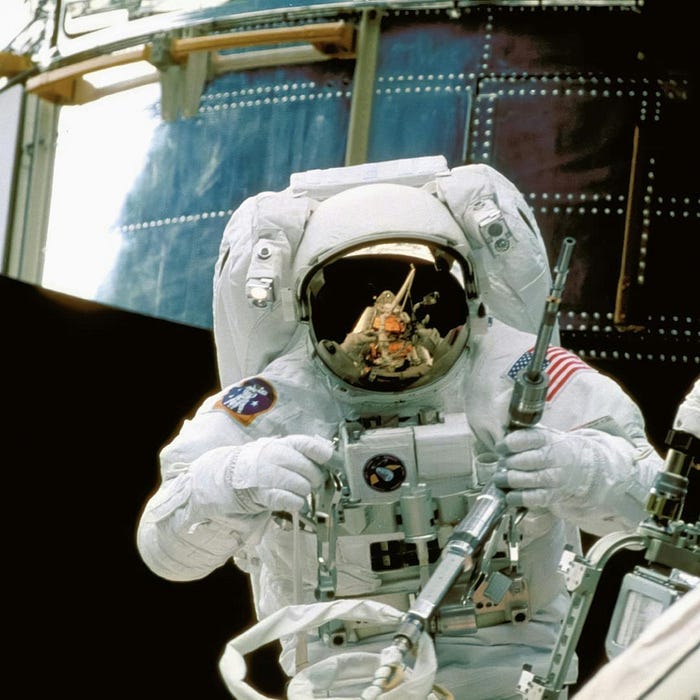
An image of an astronaut. The image has been slightly cropped from the original. Photo by NASA Hubble Space Telescope on Unsplash
In which the Champ model outputs:
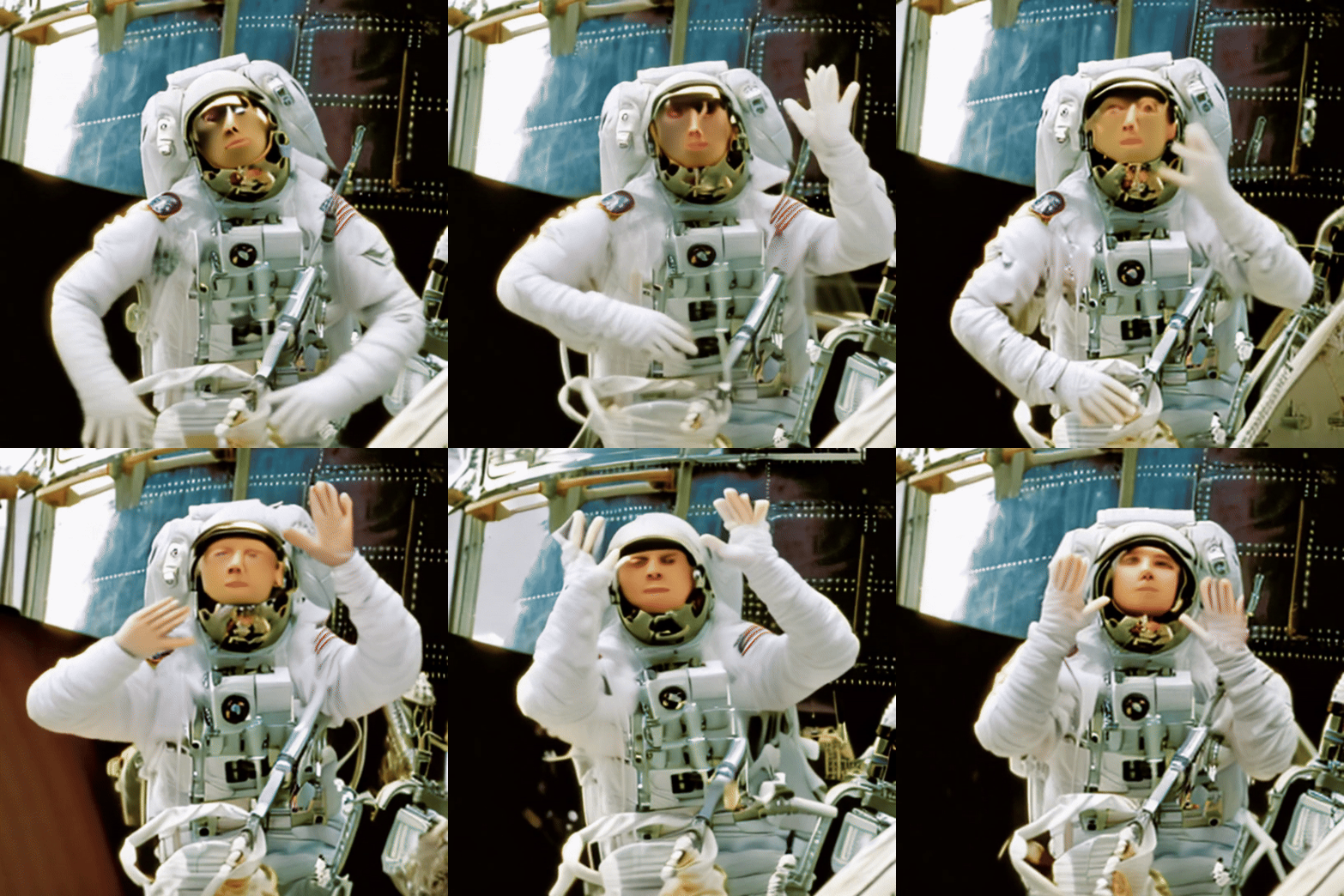
Interesting result! You can see that the model has mistaken the reflection in the astronaut’s helmet, probably because the model is used to seeing an actual face at that position in the image, not a black screen with reflection. Furthermore, the model is struggling a bit with the coloring of the hands, where you can see the hands sometimes turn into skin color, while the color, in reality, should be white as the space suit. Still, the model does well in creating animations for the image.
I will now try the model on this image:
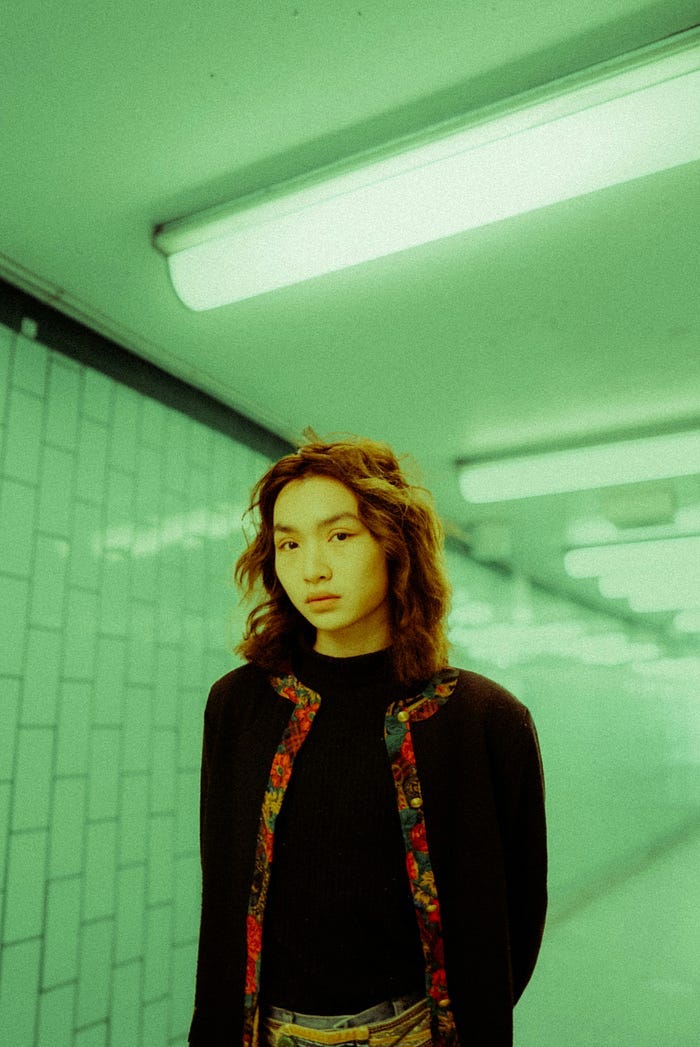
Photo by Vitalii Mazur on Unsplash
Where the model outputs:
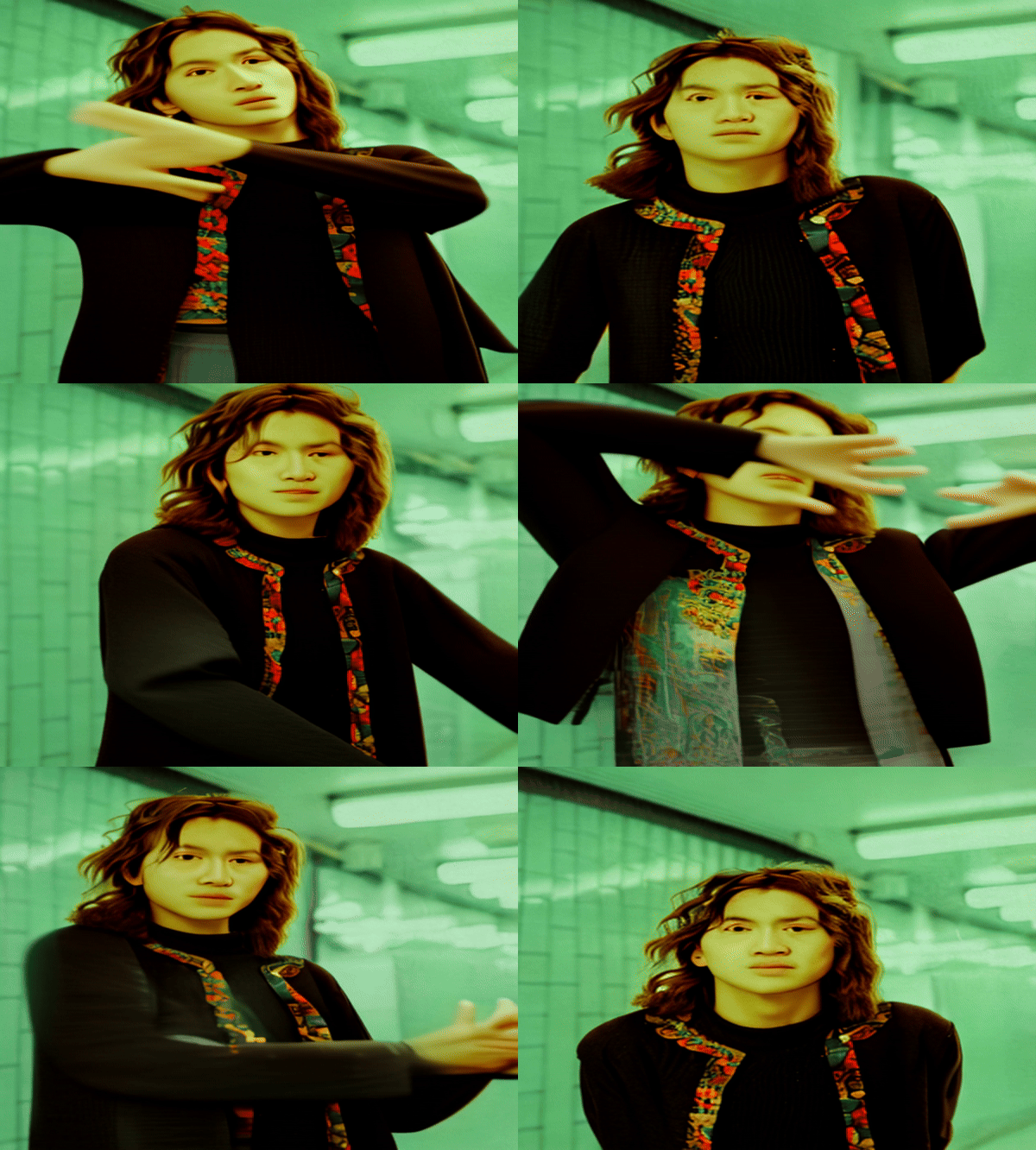
I think this animation is more impressive than the previous one. The model does not make any clear errors, and the I think the output from the model is good. If I were to give some critique to the mode output, it would be that the model seems to make the face of the woman look somewhat synthetic, and it could be mistaken for a face that would be rendered in a video game. This is not desired model behaviour, as the model you keep the realism in the image. Still however, I think the model performs well in this instance.
And finally, I will try the model on this image of
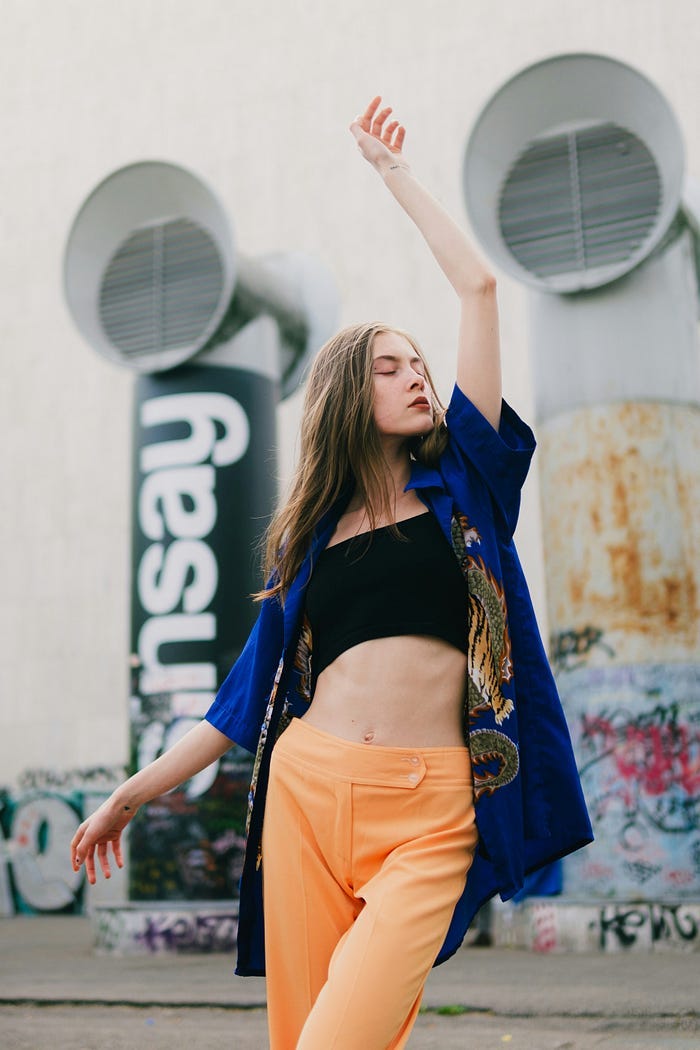
Photo by ALLAN LAINEZ on Unsplash
Where the model creates:
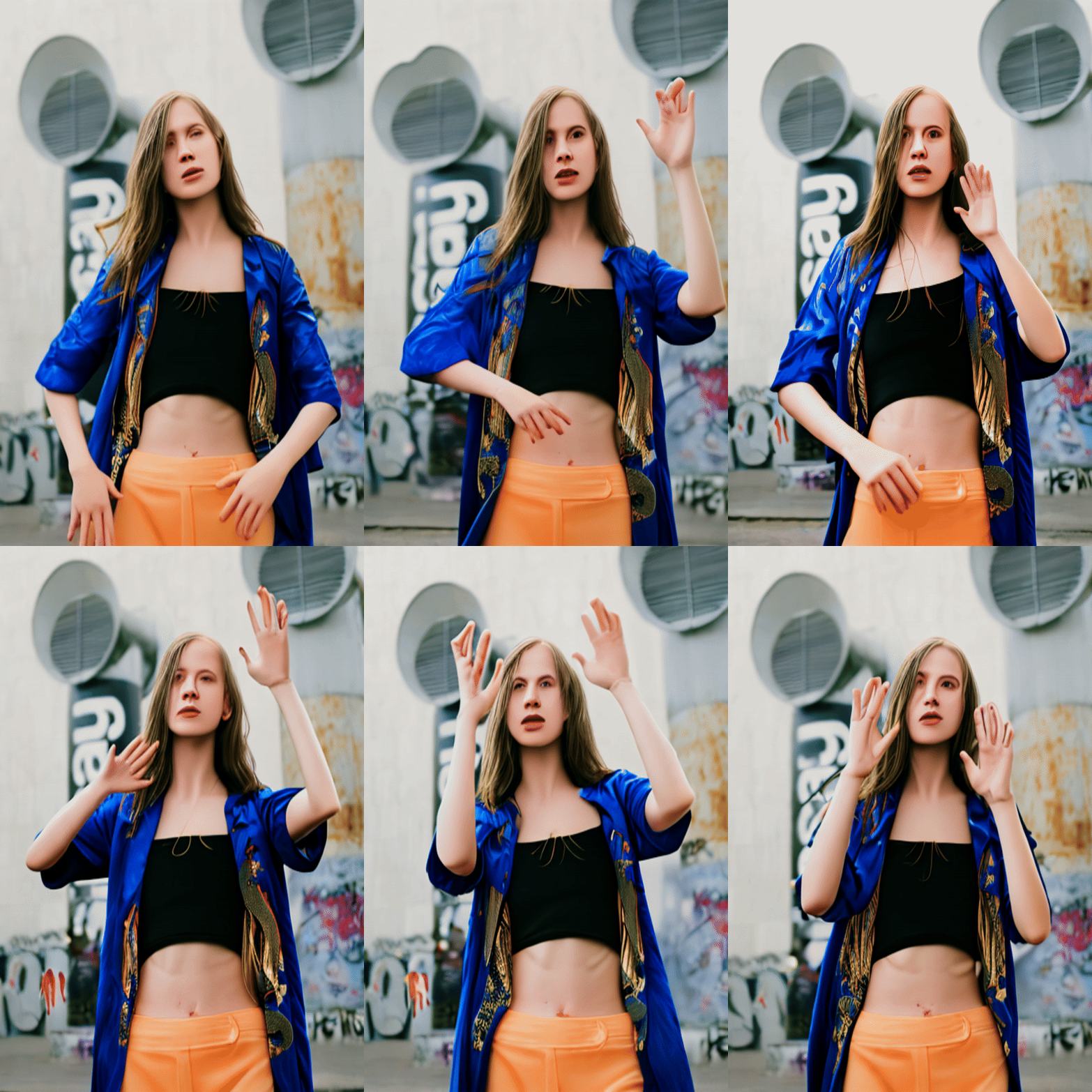
While it is impressive that the model manages to create movements from the still images, it has some issues. A lot of the background is made blurry, probably in an attempt by the model to move while not realizing the background is not a person. Furthermore, the model has problems with the face of the person, as the face looks more synthetic, and the face almost has no movement going on at all. It is interesting, however, that the model makes the face look in the camera’s direction when this is not the case in the original image. This image is an example of the model performing poorly, with the fact that the model manages to create movement, but in the process, the model ruins other parts of the image, like the background and the face.
My thoughts on the model
This is an interesting model. Creating movement in still images is impressive, and the model can provide some cool results. On the other hand, however, the model is disappointing in several areas. First, you are restricted to 9 movements, meaning the model is trained to produce specific movements on images. Being able to describe a movement with a text prompt instead and then making that movement happen in the image would be a lot more impressive.
Furthermore, though the model produces decent results in some parts of the images, it seems to ruin other parts of the image, for example, the face on all three images. I think this is a severe downside to the model. Furthermore, on the GitHub page, the problem of parts of the image becoming ruined is not shown in any of the of the examples provided. This is a sign of cherry-picking examples that work well, and the examples provided are not a general representation of the model’s performance in my experience. While I fully understand picking the best examples to showcase your research, misrepresenting model performance should be avoided.
Overall, however, it is an interesting model that can be used to make some fun animations from a given image for the time being. For now, the model does not seem strong enough to provide content that can add value to fields like the film or medical industry, but models like the Champ model can see large improvements in the coming years, making them more viable.
Conclusion
In this article, I have discussed the Champ model made by researchers at Nanjing University, Fudan University, and Alibaba Group. The model can take still images as input and provide a video of the person’s movements in the image. I have shown you how to use the model locally and some examples of how the model performs. I have also discussed my own thoughts on the model, which are that the model is a cool idea that can create fun videos. On the other side, however, the model still needs to be stronger to provide proper value to the industry, though models like the Champ model are likely to become much stronger in the years to come.
Related reading
How to Develop a Powerful OCR Pipeline for Machine-Learning Systems
Using Vision Language Models to Process Millions of Documents
Get practical AI-engineering workflows in your inbox.
If you also use coding agents to build your AI projects, explore my configuration library. The paid Vault includes global and project templates, commands, hook configuration, prompt patterns and the parallel-agent setup. Access and updates are included while subscribed.
Try the free Claude Code Setup Pack · My website · LinkedIn · X