

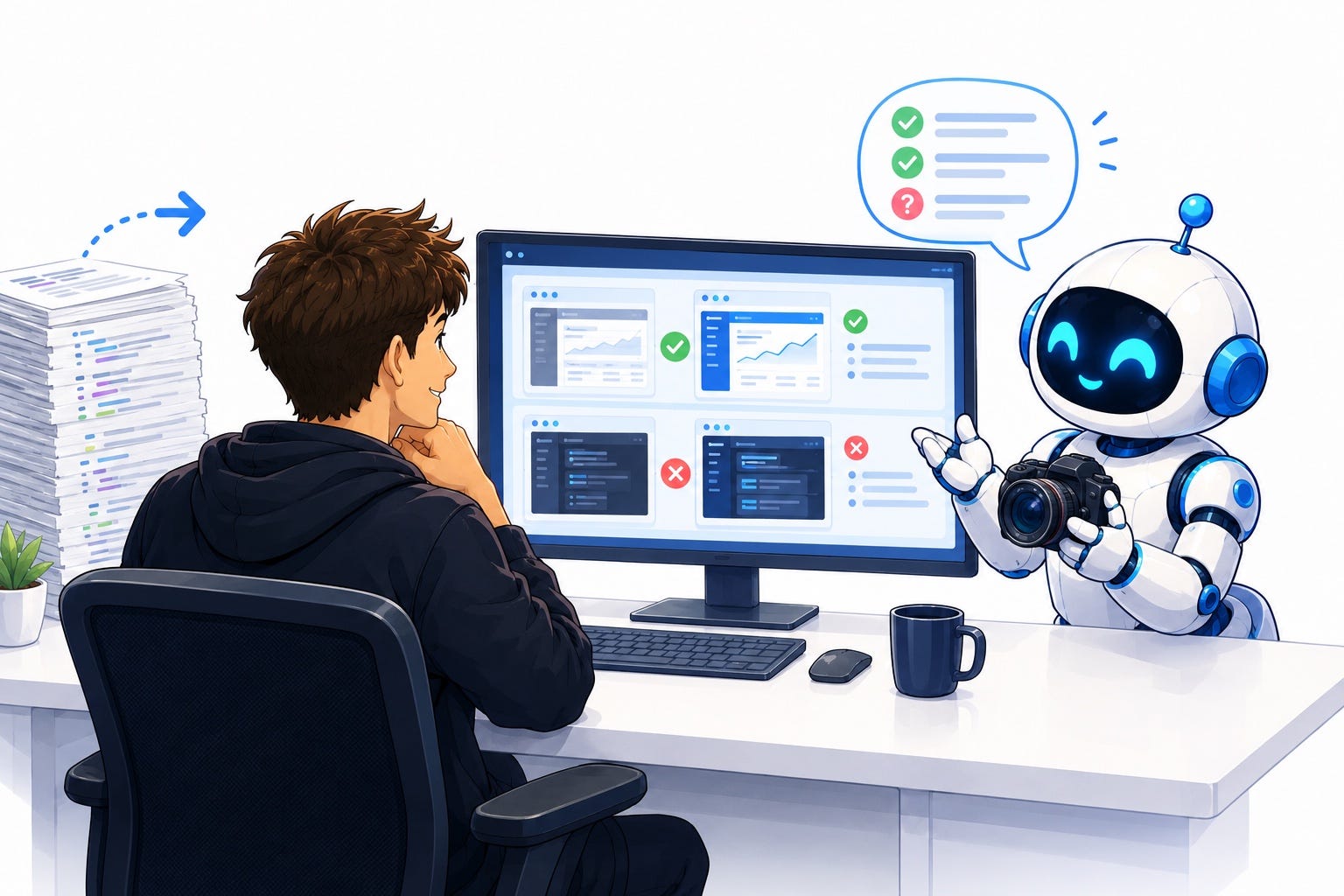
One of the most important bottlenecks that I’ve noticed when using coding agents to write all of my code is how I can verify the output of my coding agents, such as Claude Code or Codex.
The challenge comes because the coding agents can produce so much code that it’s basically impossible for humans to read every line of code manually. I also don’t think that would even make sense from a time perspective, as I believe there are more effective ways of analyzing the code.
In this article, I’ll take you through two of the main techniques that I use to actually verify output from Claude Code or any other coding agents. The tips are general, and I think these two techniques cover probably 95% of use cases or PRs that you would ever need to verify. Of course, some code needs to be tested more regularly, rigorously, and on a deeper level, but this works for a majority of the output that I work on.
Testing through screenshots
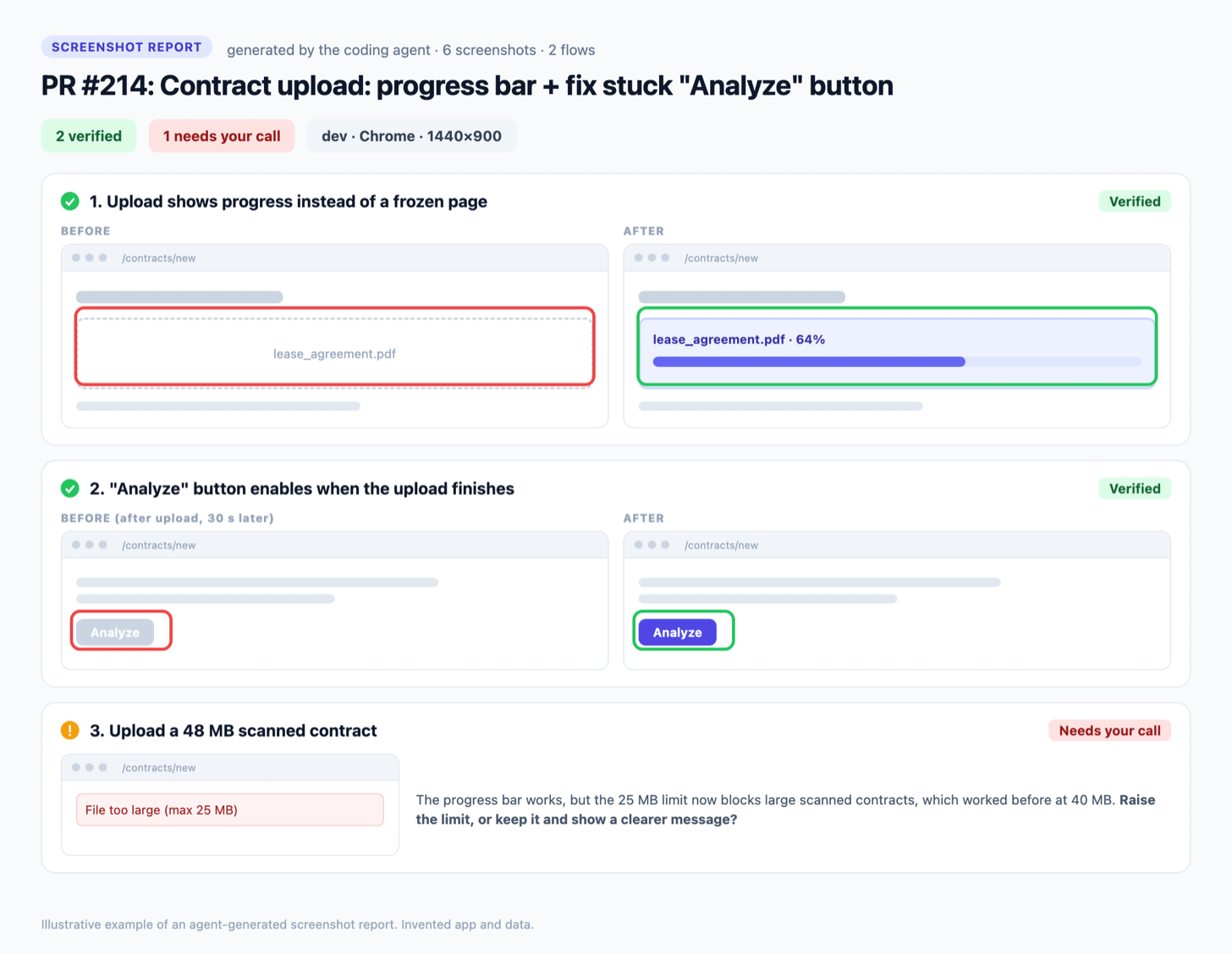
The first thing I want to cover is testing through screenshots. If you’ve ever tried to spin up localhost servers and then clicked around the localhost servers to see how it works, you would notice that it’s quite slow to click around. This is because the app is not bundled as it would be when you deploy it, making it a lot slower to go around.
Instead of manually clicking around on localhost, I urge you to use screenshots instead. You can basically just tell your AI coding agents to present your screenshot report going through everything that is fixed. This makes it way faster for you as a human to verify if the work was done correctly or not.
Now, of course, this should be done for basically all the design tasks. You shouldn’t have to manually go into the localhost app almost ever when working on the design tasks, as the AI coding agents can simply show you a before-and-after screenshot. You can immediately see if the thing was implemented as you wanted to, or if you need to give it more feedback to iterate on. This is naturally way faster than having to click around, get to the right page, see if it’s implemented correctly, and then start iterating.
However, I would also say that this doesn’t only apply to visual tasks. There are also a lot of other tasks that can be checked through a screenshot report. For one, the AI can, of course, take screen recordings and show you videos, so you can see how some piece of logic is done and see if the AI implemented it correctly.
I urge you to, every time you have to call the agent to implement something, ask yourself: Could I verify this work through screenshots only or videos only instead of having to manually click into the app to check? If the answer is yes, you should almost always do that over opening localhost yourself and clicking around, just because it saves you so much time.
Testing through asking Claude Code
Now, the second way I want to highlight about how to test code, or how to understand and review the output of code, is to just ask Claude Code (and not a completely separate coding agent) about the code.
I would basically almost always do this over manually reading every line of code. The reason is that I don’t believe humans are better at reading code, especially line by line, than coding agents anymore. I think that’s a relatively naive understanding if you think so, and I urge you to try to get that understanding through asking coding agents about it instead. Have the AI coding agent present you with a report in HTML with visuals and brief explanations instead of reading each line of code manually.
Now, one great technique that I’ve noticed for testing with Claude Code is to use the following prompt.
“Is my understanding of feature X correct? <my explanation of the feature and how it works>. If anything, list everything that was correct and everything that I’ve misunderstood, so I can get a true understanding of the feature.”
You should apply this to everything that you try to understand. Make your assumption about the understanding of how it works, and the AI coding agents can give you feedback on where your assumptions are right and where you are misunderstanding. You can continually iterate like this until the AI says that you’re understanding it correctly. This is a much better way of understanding some piece of code rather than having the AI coding agent just explain it to you and you tell yourself that you understand it.
Because if you do the one where the AI coding agent explains it to you and you just read it, I notice that I often tell myself, “Yeah, I think I understand it.” Well, I don’t truly have a good understanding of the code.
If I instead try to explain my understanding of the code to the AI coding agent (and the AI coding agent gives me feedback on whether I actually understand it or not), I feel like there are fewer cases where I think I understand the code but actually don’t. This is, of course, great because it helps build a better understanding of your codebase, leading to fewer errors.
Related reading
👉 Find me on socials: