

I've tested a lot of different coding interfaces for different coding agents. There is probably one new interface coming out every single day, and it's hard to keep track of everything.
As a short overview, I've used the following interfaces:
- Cursor
- iTerm2 terminal
- Warp terminal
- Emash
- Conductor
- Orca
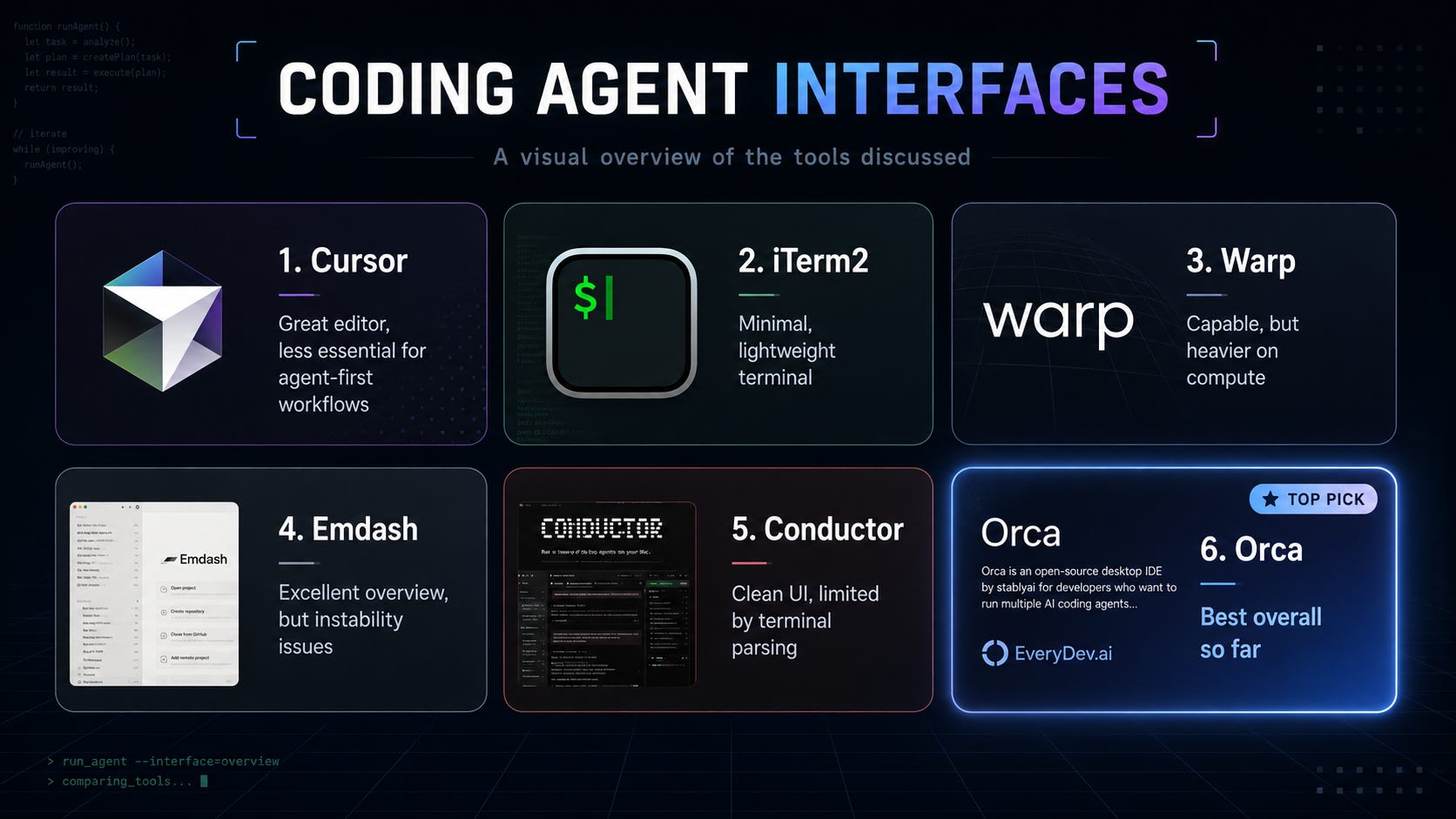
All of them are decent options if you're looking to just have an application to run your coding agents from. However, I think there are pros and cons to several of them. First of all, let me cover Cursor. Cursor is the one; it's been approximately 8 or 9 months since I used Cursor last time. I stopped using Cursor on New Year's Day when I started moving full-time to using Claude Code. At that time, Claude was by far the best coding agent and wasn't really a consideration. But ever since then, Codex has also been an incredible coding agent, and I regard them as approximately equally good.
Now I think Cursor is nice if you want to actually look at code, but the only problem is that I don't think you need to look at code anymore, and thus Cursor isn't that good of an option. They do have an agent mode, but if you're using that one, I think you're better off with some alternative tools, which would probably also be cheaper since you get more coding usage with either your Claude Code or Codex subscription. Item 2 is another very simplistic option. I think it works. You can definitely run all of your coding there. Same with Warp Terminal. I think both of them are acceptable options. Item 2 is better because it's more minimalistic and doesn't have that much overhead, whereas I noticed Warp started taking a lot of compute on my machine, which is why I stopped using it. And also, the problem with just simple terminals is that you quickly lose track of all your coding agents. Yes, it works great if you're running up to 5 coding agents and that's all you do. However, when you really start to scale your coding agents, organized like the coding agent organization that you have on your computer, you start having issues. Thus, I started testing tools like Emdash and Conductor.
Now, I'm actually a pretty big fan of both Emdash and Conductor. Emdash was a great tool that I started using maybe 2 months ago. It gave me a great overview of all the coding sessions on the left-hand side, and it was easy to sort them, filter them, and, in general, have a good overview of all the coding agents and easily find the coding agent I was looking for. The reason I stopped using Emdash was actually that I started having issues with the application. It started crashing at random points. I started being not able to reopen the application, which is of course unfortunate. I did send a message to the founders of Emdash on LinkedIn, whom I've connected with, and although they have not, unfortunately, still resolved the issues, I mentioned it to them.
And then we also have Conductor, which is a great option, and I think it's a really clean interface. However, Conductor and similar applications have one inherent flaw with them: they wrap the terminal rather than just presenting it directly in their application. This, of course, makes for a clean interface, but the problem is that they need to parse the Claude Code and Codex interface. This presents issues whenever Claude Code and Codex come with updates. The moment I actually stopped using Conductor was when I noticed that the slash goal command was not available in Conductor for Codex; it was only available for Claude Code, even though if you used the Codex CLI, the command was available.
This was obviously just an issue that arose because Conductor is parsing the terminal rather than just presenting it directly to the user. This is just an inherent flaw of Conductor and similar tools. Finally, we have Orca, which is the tool I'm using right now. I think Orca is very good. It has the benefits of Emdash by creating a super good overview. It additionally has a mobile interface, which is super nice to have, so you can interact with your computer through mobile, and they also have a good orchestration system built in. However, I definitely don't think Orca is the perfect tool. It has some issues; for example, if you sleep a workspace, it randomly pops up again, even though you didn't wake it, and so on. Though it is the best interface I've found so far.
Related reading
Get practical AI-engineering workflows in your inbox.
Once you have chosen an interface, give your coding agents a consistent setup. The paid Vault includes global and project templates, commands, hook configuration, prompt patterns and the parallel-agent setup. Access and updates are included while subscribed.
Try the free Claude Code Setup Pack · My website · LinkedIn · X
Useful article, thanks! I think there's a typo in the second paragraph. iTerm2 seems to have been corrected to Item 2. Not a big deal, because it is also item 2 in the graphic :)
Thanks for sharing Eivind! I've been looking for a good coding interface, will give Orca a shot!